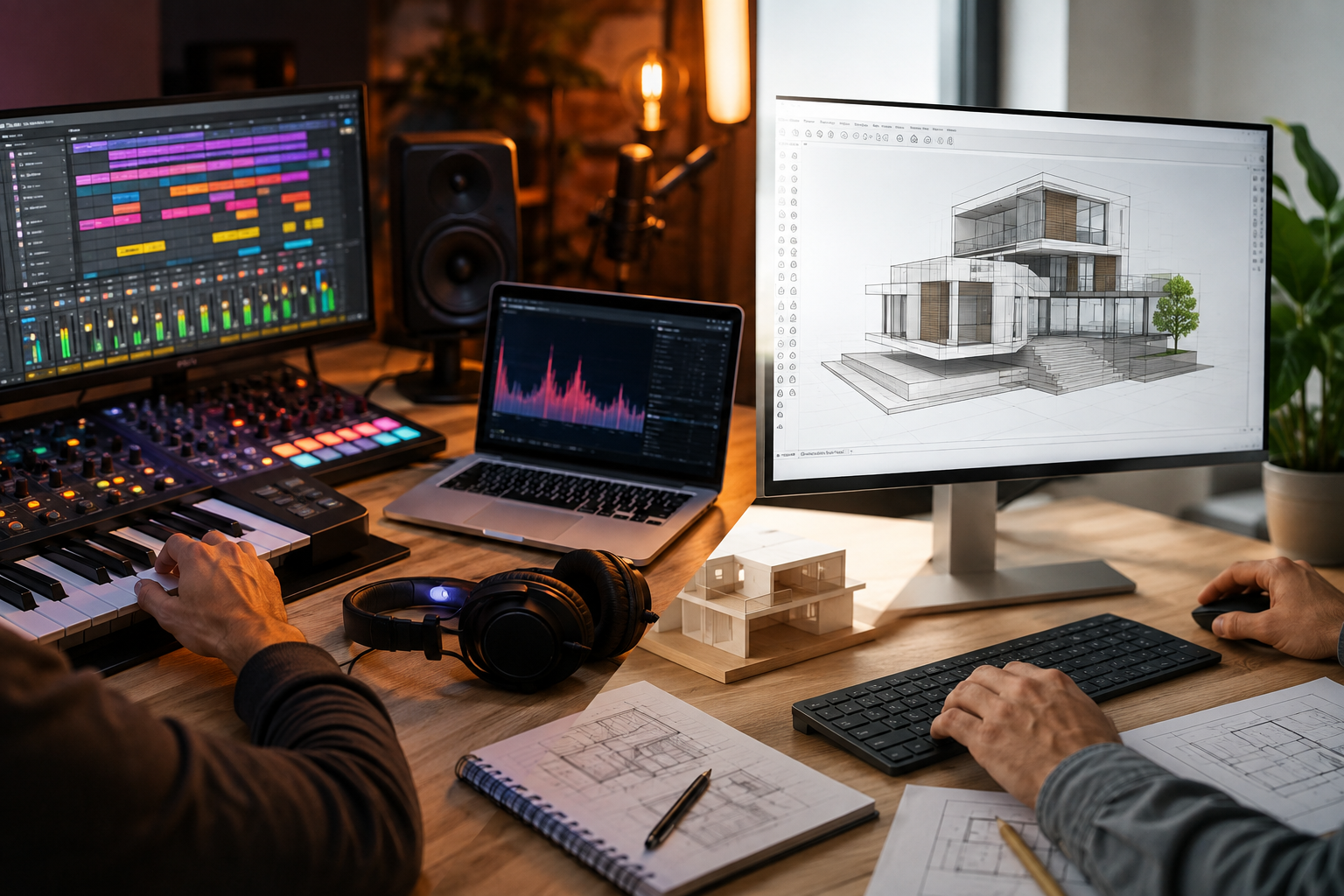
A good idea is only the beginning. Whether it is a melody recorded late at night, a rough floor plan sketched during a meeting, or a product concept that exists only in someone’s imagination, creative work becomes valuable when that idea can be developed into something usable. This is where creative software workflows make a meaningful difference. Instead of treating technology as a collection of isolated features, modern creators can use digital tools to experiment, organize, revise, and present their work more efficiently. Musicians, architects, designers, educators, and independent creators all face similar challenges even when their projects look completely different. The strongest workflows give people enough freedom to explore while providing enough structure to finish what they start.
Why the Workflow Matters as Much as the Software
It is tempting to judge creative software by its feature list. More instruments, more modeling tools, more effects, more export formats, and more customization options can certainly be useful. But a long list of features does not automatically create a productive creative environment.
The real advantage comes from how those capabilities fit into a person’s working process.
A useful workflow should make it easy to move between several stages:
- Capturing an initial idea
- Experimenting with different possibilities
- Refining promising directions
- Organizing project elements
- Reviewing the result
- Communicating the finished concept
This process is rarely linear. A musician may return to an earlier melody after arranging an entire track. A designer may discover that a building layout needs to change after viewing it in three dimensions. Good creative applications accommodate those changes instead of forcing users to start again.
That flexibility is one reason specialized digital tools have become so important across creative industries.
Start With Exploration, Not Perfection
One of the biggest mistakes creators can make is trying to produce a polished result too early.
Early-stage creative work is usually messy. There may be several versions of the same idea, unfinished sketches, alternative arrangements, discarded concepts, and experiments that do not initially appear useful. That is not necessarily wasted effort. Exploration helps reveal which direction deserves more attention.
Music production provides a clear example. A producer may begin with a drum pattern, add a bassline, test several melodies, and change the tempo before deciding what the final song should become. Ableton Live’s Session View is designed around this kind of non-linear experimentation, allowing clips and musical ideas to be combined before they are organized into a traditional arrangement.
A similar principle applies to visual design.
An architect or interior designer may create several rough layouts before selecting one for detailed development. A 3D environment can make spatial relationships easier to understand than a flat sketch, allowing changes to happen before significant time is spent on documentation or presentation.
The lesson is simple: creative software should make experimentation inexpensive.
When testing an idea takes seconds rather than hours, creators are more likely to explore alternatives.
Build a Workflow Around Stages
A productive digital workspace should reflect the natural stages of a project.
1. Capture
The priority is getting the idea into the software.
For a musician, this might mean recording a guitar phrase, capturing a MIDI performance, saving a short vocal idea, or creating a rough rhythmic pattern. Ableton Live supports recording hardware and software sources, while its Capture MIDI feature can recover notes that were played before the user deliberately pressed record.
For a designer, capture could mean creating a rough 3D block, importing reference material, or establishing the basic dimensions of a proposed space.
At this stage, speed matters more than perfection.
2. Experiment
Once the initial material exists, the creator can test variations.
Change the arrangement. Move objects. Try different proportions. Replace an instrument. Adjust a material. Create another version.
This is where flexible creative software earns its place.
3. Refine
After experimentation comes selection.
Instead of keeping every possible direction alive, creators can identify what works and develop it further. This stage often involves detailed editing, organization, and repeated comparison.
4. Communicate
A project is rarely finished simply because the creator likes it.
Music may need to be prepared for an audience, client, film, game, or performance. A design may need to be explained to a client, contractor, investor, or project team.
The ability to communicate an idea clearly is therefore part of the creative workflow itself.
5. Deliver
Finally, the work needs an appropriate output.
That might be an audio file, a live performance setup, a 3D model, a set of presentation drawings, or documentation for another team.
Thinking about delivery early can prevent unnecessary restructuring later.
Flexible Music-Production Workflows Encourage Better Ideas
Music production is a particularly good example of why workflow flexibility matters. For producers who prefer experimentation before committing to a final arrangement, flexible music-production workflows can make it easier to test ideas, rearrange sections, and refine promising concepts.
Traditional linear approaches can be useful when a composition is already well defined. But not every song begins with a clear structure. Sometimes the most interesting result appears through improvisation.
Ableton Live addresses this by giving creators separate but connected environments for experimentation and arrangement. Session View is oriented toward clips and improvisation, while Arrangement View provides a linear timeline for structuring a complete piece. Ableton’s documentation also describes how Session performances can be recorded into Arrangement View for later refinement.
This creates a practical creative loop:
experiment → discover → record → arrange → refine
That approach can be useful even for producers who ultimately prefer a conventional timeline. The broader principle extends beyond music: a workflow should not force the creator to know the final answer before the creative process has actually revealed it.
A More Adaptable Approach to 3D Design
The same idea appears in architecture, interior design, product development, and other visual disciplines. A 3D model gives creators a way to examine relationships that are difficult to understand from isolated drawings. Walls, furniture, openings, proportions, circulation paths, materials, and other elements can be viewed as part of a larger environment.
For architects and designers, a more adaptable approach to 3D design can make it easier to compare layouts, adjust proportions, and communicate concepts before detailed documentation begins. SketchUp’s ecosystem is built around this type of 3D design process. Its resources describe SketchUp Pro as a tool for designing, documenting, and communicating ideas in three dimensions, while related tools such as LayOut and 3D Warehouse extend the workflow beyond basic modeling.
This can make the design process more iterative. Instead of committing immediately to one solution, a designer can test several options and evaluate them visually.
For example, an interior designer might begin with a simple room volume. Furniture can then be introduced, circulation paths adjusted, materials considered, and different layouts compared. A client can review a more understandable representation of the concept before the project advances toward detailed documentation.
That ability to see and revise a concept early can be more valuable than adding complexity for its own sake.
Customization Makes Creative Tools More Useful
No two professionals work the same way.
A music producer working on electronic compositions may need a different setup from a songwriter recording acoustic instruments. Likewise, an interior designer’s modeling workflow may look very different from that of a product designer.
Customization helps software adapt to those differences.
In music production, customization can involve templates, instruments, effects, MIDI mappings, hardware controllers, project organization, and reusable processing chains.
In 3D design, customization may come through extensions, components, templates, materials, styles, and supporting applications. SketchUp’s Extension Warehouse provides third-party extensions intended to enhance and customize desktop workflows.
This matters because productivity is often determined by small repeated actions.
If a creator performs the same task dozens of times during every project, improving that step can save more time than learning an impressive but rarely used feature.
Organization Prevents Creative Work From Becoming Chaotic
Creativity needs freedom, but finished projects need structure.
Poor organization can become a serious problem as a project grows. A music session might contain dozens of tracks, clips, effects, recordings, and versions. A 3D project can accumulate models, components, materials, scenes, references, and documentation.
A good organizational system makes the creative process easier to manage.
Simple habits can help:
- Use descriptive names for files and project elements.
- Separate major project versions.
- Create reusable templates for recurring work.
- Keep reference materials easy to locate.
- Remove unnecessary duplicates.
- Establish consistent folder structures.
- Save important milestones rather than relying on one final version.
These practices are not glamorous, but they reduce friction.
The objective is not to create bureaucracy around creative work. It is to make the project easier to understand when returning to it tomorrow, next week, or several months later.
Visualization Improves Communication
A creative project often involves people who were not part of the original creative process.
A client may not understand technical terminology. A manager may need to evaluate a concept quickly. A collaborator may need to understand how one person’s work fits into another person’s responsibilities.
Visual and interactive software can bridge that gap.
A 3D model can communicate spatial relationships more effectively than a paragraph of explanation. A structured music project can make it easier to isolate, revise, or demonstrate individual musical elements.
SketchUp’s ecosystem includes tools such as LayOut for creating 2D documentation from 3D work, while 3D Warehouse provides a large library of models that can support visualization and project development.
The important point is that creative software is not only about making things. It is also about explaining things.
Tools That Help Turn Creative Ideas Into Finished Work
The best digital workflows reduce the distance between imagination and execution. That does not mean software should automate every creative decision. In many fields, the human judgment behind the project remains the most important part. The most valuable creative environments are ultimately tools that help turn creative ideas into finished work, rather than simply offering a long list of technical features.
Instead, technology should remove unnecessary friction. A producer should be able to test a musical idea without rebuilding an entire session. A designer should be able to change a model without recreating every component. A creative team should be able to review versions without losing track of the original concept.
This is where the broader philosophy behind modern creative applications becomes useful.
Whether the work involves audio or 3D geometry, the same principles tend to appear:
- Make experimentation easy.
- Keep promising ideas editable.
- Organize work as it grows.
- Use reusable systems where appropriate.
- Make collaboration and communication part of the process.
- Choose output formats based on the project’s real needs.
These principles help creators focus on decisions rather than repetitive technical work.
Choosing Software Based on the Job
There is no universal creative application that is best for everyone.
The right choice depends on the type of work being produced, the user’s experience, the collaboration requirements, and the desired output.
A music producer needs tools for recording, MIDI, arrangement, sound design, mixing, and potentially live performance. A designer working in three dimensions needs modeling, visualization, documentation, and possibly access to extensions or model libraries.
That is why choosing software based solely on popularity can be misleading.
A better approach is to ask:
- What type of work do I create most often?
- How do my ideas normally develop?
- Where does my current workflow slow down?
- Do I need collaboration or presentation features?
- Which repetitive tasks could be simplified?
- How easily can I revise an idea?
- Can the software grow with my skills?
These questions reveal whether an application actually fits the creative process.
Learning the Workflow, Not Just the Features
Software expertise is not simply knowing where every button is located.
The more valuable skill is understanding when to use a particular capability.
A producer may know dozens of audio effects but still struggle to finish a track if the project lacks a clear structure. A designer may understand advanced modeling techniques but spend unnecessary hours rebuilding common components.
Learning should therefore focus on complete workflows.
For Ableton Live, that could mean learning how to capture an idea, experiment with clips, move into Arrangement View, edit performances, organize tracks, and prepare the final export. Ableton’s current learning resources are organized around workflows covering stages from generating ideas through arranging and mixing.
For 3D design, learning might progress from basic geometry to components, organization, materials, visualization, documentation, and extensions.
This approach creates practical knowledge rather than isolated feature familiarity.
The Future of Creative Work Is More Connected
Creative software is increasingly becoming part of a broader digital ecosystem.
A project may move between desktop applications, cloud services, hardware, model libraries, collaboration platforms, and specialized extensions. The value of any individual application can therefore depend partly on how well it fits into the creator’s larger environment.
That makes interoperability, organization, and workflow design increasingly important.
The strongest creative professionals are not necessarily those who use the most applications. They are often the ones who have built a reliable process around a smaller set of tools and know exactly when each one adds value.
Technology should serve that process.
When it does, creative software becomes less about operating a computer and more about creating a dependable path from an uncertain first idea to a finished result.
Frequently Asked Questions
What are creative software workflows?
Creative software workflows are organized processes for using digital tools to develop an idea from its initial concept through experimentation, refinement, organization, presentation, and final delivery.
Why is workflow important in creative projects?
A strong workflow reduces repetitive work and makes experimentation easier. It also helps creators organize revisions, manage project files, collaborate with others, and produce consistent final results.
Is Ableton Live useful for beginners?
Yes. Ableton Live can be learned progressively, starting with basic recording, clips, MIDI, instruments, and effects before moving into more advanced production and performance techniques. Its Session and Arrangement views support different approaches to developing music.
What types of projects can SketchUp Pro support?
SketchUp Pro can support architectural concepts, interior design, construction planning, product visualization, landscape projects, 3D modeling, and other visual design workflows. Its wider ecosystem also includes tools for documentation, model libraries, and workflow extensions.
How can creators become more productive with creative software?
The biggest gains often come from improving the workflow rather than learning every available feature. Templates, reusable components, organized project structures, shortcuts, extensions, and consistent file-management habits can reduce repetitive work.
Should creative professionals use many different software tools?
Not necessarily. A smaller group of well-understood tools can be more effective than a large collection of applications. The best setup is one that matches the creator’s discipline, project requirements, collaboration needs, and preferred working style.
Conclusion
Creative work rarely moves in a perfectly straight line. Ideas change, experiments fail, better alternatives appear, and finished projects often look very different from their original concepts. Effective creative software workflows make room for that reality.
Whether the work involves music production, architectural modeling, interior design, sound design, visualization, or another creative discipline, the underlying principles remain remarkably similar. Capture ideas quickly, experiment without unnecessary friction, refine what works, organize the project carefully, and communicate the result clearly.
Ableton Live demonstrates how flexible music-production environments can support improvisation and structured arrangement, while SketchUp Pro illustrates how accessible 3D modeling can support concept development, documentation, and communication.
Ultimately, the best software is not simply the one with the longest feature list. It is the tool that helps creators stay curious during exploration, focused during refinement, and organized enough to actually finish the work.